How to Make a US Passport Photo at Home (2×2 in), Free
 CropDen
Have someone photograph you against a white wall in soft daylight, crop to 2×2 in with the head 1 to 1⅜ in tall, then print a 4×6 sheet at a photo counter.
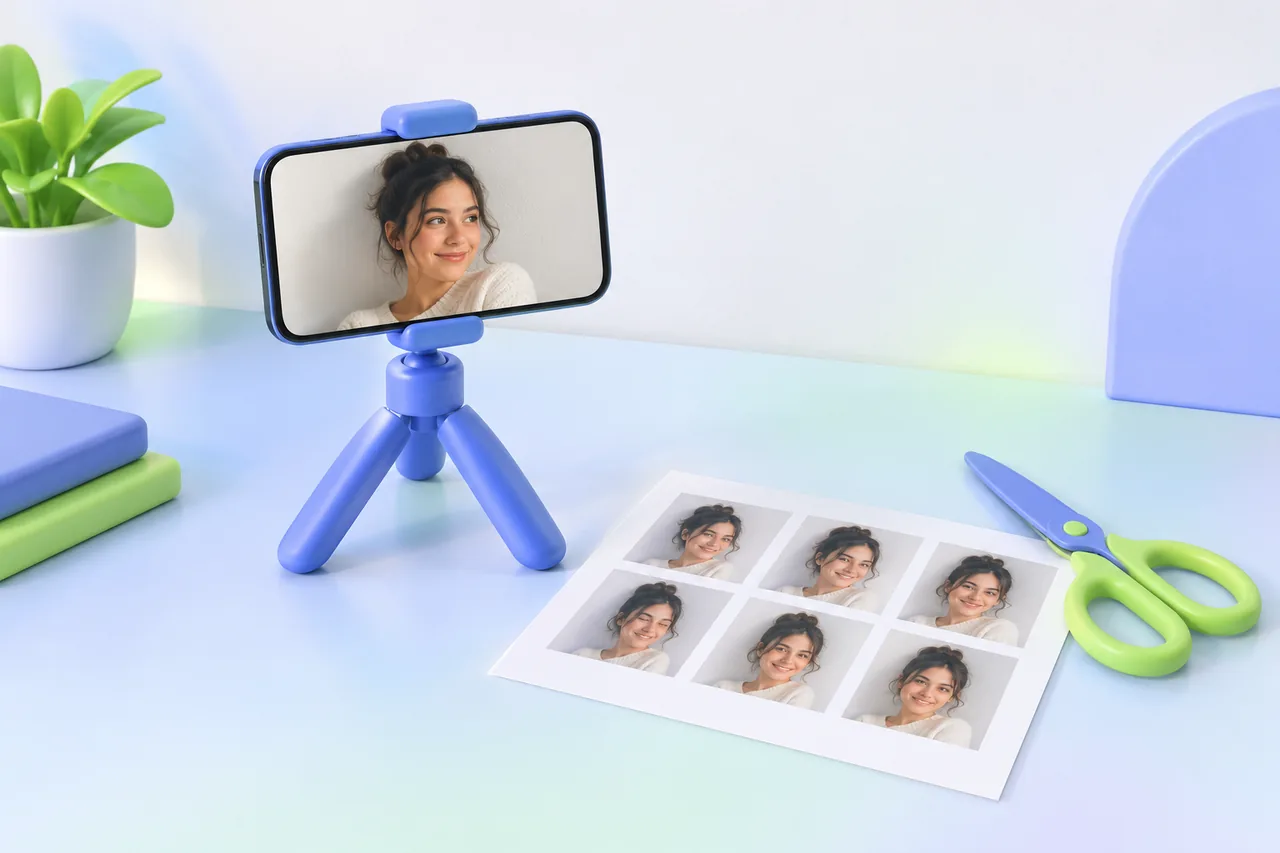
You can make a US passport photo at home. Have someone photograph you against a plain white or off-white wall in soft, even daylight. Crop the picture to a 2 × 2 inch square with your head 1 to 1⅜ inches tall, then print it on photo paper. The State Department lists "a friend or family member" as an acceptable photographer, so you don't need a studio. A home photo is judged by exactly the same rules as one from a studio.
CropDen's passport photo tool does the cropping in your browser. It is free to use, needs no sign-up and adds no watermark, and your photo is never uploaded. It exports the 600 × 600 px file for online visa forms and a 4 × 6 in sheet with six 2 × 2 copies, ready for a photo counter.
- Set up a white wall and soft light.
- Have someone take the photo from several feet away.
- Check it against the official rules.
- Crop it to 2 × 2 in and save the digital file.
- Print the 4 × 6 sheet and cut it.
Step 1: Set up the background and light
- Background. Use a plain white or off-white wall with no texture, lines or objects behind you. If your walls aren't white, the State Department suggests covering one with a white blanket or sheet. Hang it flat, because creases show up as lines and shadows.
- Distance from the wall. Stand several feet in front of it. The farther you are from the wall, the less likely your shadow is to land on it.
- Light. Face a window or another source of soft daylight. Light should fall evenly on your face. Overhead ceiling lights and a single lamp to one side both cast shadows that hide your features, and light that's too bright overexposes the face.
- What to take off. Glasses (including ones pushed up on your head), hats, headphones and earbuds. A uniform, clothes that look like a uniform, and camouflage aren't allowed either. A head covering worn daily for religious or medical reasons is fine with a signed statement, as long as your whole face is visible.
Step 2: Take the photo
- Set the phone or camera to its highest quality setting.
- Ask someone to stand several feet away and hold the camera at your eye level. Don't use a selfie: arm's length is closer than the several feet the State Department asks for, and it makes a level, straight-on pose hard to hold.
- Face the camera straight on, with your head level and your shoulders square.
- Keep a neutral expression or a natural smile, with both eyes open and your mouth closed.
- Frame your head and shoulders with some room around them. Don't zoom in on your face; you'll crop it later.
- Take several shots and keep the sharpest.
- Move the original file to your computer with a cable, AirDrop or cloud storage. Don't send it to yourself by text message, which lowers the quality.
Use daylight rather than flash. A flash can cause red eye, and you aren't allowed to edit red eye out; you'd have to take the photo again.
Step 3: Check it against the official rules
These are the State Department's requirements for a printed US passport photo:
| Rule | Requirement |
|---|---|
| Size | 2 × 2 in (51 × 51 mm) |
| Head size | 1 to 1⅜ in (25 to 35 mm), from the bottom of the chin to the top of the head |
| Eye height | 1⅛ to 1⅜ in (28 to 35 mm) from the bottom of the photo |
| Age | Taken in the last 6 months |
| Background | Plain white or off-white, with no shadows, texture, lines or objects |
| Expression | Neutral or a natural smile, eyes open, mouth closed, head not tilted |
| Glasses | Not allowed, unless a doctor's signed note explains why you can't remove them |
| Edits | None: no filters, retouching, background changes or AI-generated images |
| Color, on matte or glossy photo-quality paper, with no visible printer dots |
Your hair may run past the edges of the photo, as long as your whole head is shown at the right size. Whether a photo is accepted is always up to the State Department, or to the embassy or consulate for a visa.
Step 4: Crop it to 2 × 2 in and save the digital file
- Open the passport photo tool, drop in your photo and choose the US preset.
- The frame shows a line for the top of your head, a band for your chin and a band for your eyes. Zoom and drag until the top of your head touches the line, your chin sits inside the chin band and your eyes sit inside the eye band. Zooming in makes the head bigger.
- If your eyes aren't level, rotate the photo slightly.
- Download the digital file as a JPG. The US preset exports 600 × 600 px and keeps it under 240 KB.
- Download the 4 × 6 in print sheet as well if you need paper photos.
Cropping, resizing and rotating don't change how you look, and the State Department's own photo tool does all three. What you can't do is change how you look or what's behind you. A cut-out or replaced background is one of the examples the State Department shows as unacceptable.
The tool doesn't remove backgrounds or detect faces, so the white background has to come from the wall you photographed. If you zoom out past the edge of the photo, white fill covers the empty space, but it doesn't replace your wall. If you need that much room, it's better to retake the photo from a little farther back.
Which digital file you need
| You're applying with | What to upload |
|---|---|
| DS-160 online visa application | A square JPEG between 600 × 600 and 1200 × 1200 px, no larger than 240 kB, in color (24-bit sRGB) |
| Online US passport renewal | The original JPG, JPEG, PNG, HEIC or HEIF file, between 54 KB and 10 MB; you crop it inside the application |
| Paper passport form (in person or by mail) | One printed 2 × 2 in photo |
For online renewal, skip the resizing. The State Department asks for the original photo, framed down to the edge of your shoulders with a little extra room around your face, and it says its own cropping tool is not for online renewals. If a different form asks for a much smaller file, compress to 50 KB handles that.
Step 5: Print the 4 × 6 sheet
The print sheet is a 4 × 6 in image at 300 dpi with cut lines and six copies of your 2 × 2 photo. A paper application needs one photo, so you'll have spares.
- Take the file to a photo kiosk or pharmacy photo counter, or upload it to their online print service, and order one standard 4 × 6 print.
- Tell the counter, or set in the kiosk: print at the exact size, with no resizing, no crop or "fill" and no border. Any of those changes the size of every photo on the sheet.
- Matte or glossy photo paper are both accepted.
- Measure the print before you cut. Each photo should be exactly 2 in wide, and your head should measure 1 to 1⅜ in from chin to top.
- Cut along the lines with scissors or a paper trimmer. Keep the photo flat: creases, holes and smudges aren't accepted.
Plain paper isn't accepted, and home inkjet prints can show printer dots, which aren't allowed either. A lab print avoids both.
Why US passport photos get rejected
The State Department says unacceptable photos are the number one reason it puts passport applications on hold. The examples on its photo pages come down to a handful of problems:
- Shadows on your face or on the wall behind you.
- Glasses, including glasses resting on your head.
- Head the wrong size, because the photographer stood too close or too far away.
- Blur, grain or pixelation, or visible printer dots.
- Edits: filters, beauty modes, retouching, AI tools, or a cut-out background.
- A background that isn't plain white or off-white, such as a gray, blue or textured wall.
- Pose: head tilted, eyes closed or mouth open.
- An old photo, taken more than 6 months ago.
- Hats, head coverings, uniforms or headphones without a qualifying reason.
- A damaged print or red eye.
Other countries: UK, EU and Canada
Most other countries use a taller, narrower photo than the US, and the rules about who takes it and what color the background must be also differ. Numbers below match the presets in CropDen's passport photo tool:
| Country | Photo size | Head, chin to crown | Digital file from CropDen | Watch out for |
|---|---|---|---|---|
| UK | 35 × 45 mm | 29 to 34 mm | 600 × 771 px | Taken in the last month; printed photos need a plain cream or light gray background |
| EU / Schengen | 35 × 45 mm | 32 to 36 mm | 600 × 771 px | Each country sets its own rules; France, for example, requires a light background and refuses white |
| Canada | 50 × 70 mm | 31 to 36 mm | 600 × 840 px | Must be taken by a commercial photographer; photos printed at home are not accepted |
Two things follow from this. First, white is right for the US but not everywhere, so check the background color for the country you're applying to. Second, 35 × 45 mm is narrower and taller than 2 × 2 in, so a US photo can't be trimmed into a UK or Schengen one: the head ends up the wrong size. Make each from the original photo. The tool's 35 × 45 mm print sheet holds eight copies, and it also has presets for Australia and the China visa.
UK online applications are simpler: GOV.UK asks for a digital photo at least 600 × 750 px and between 50 KB and 10 MB. If you take it on your own device during the application, don't crop it; GOV.UK crops it for you.
The tool gets the size, head position and file limit right. It can't judge lighting, focus, expression or background, and acceptance is always the passport office's decision. Official requirements on this page were checked in October 2026.
Questions people ask
Sources
- U.S. Department of State — Passport Photos
- U.S. Department of State — Uploading a Digital Photo (online renewal)
- U.S. Department of State — Visa Photo Requirements
- U.S. Department of State — Digital Image Requirements (visas)
- U.S. Department of State — Photo Composition Template
- GOV.UK — Get a passport photo: printed photos
- Government of Canada — Passport photos
- Service-Public.fr — Photo d'identité (France)